

The Custom Field Zoo: When Jira Flexibility Turns Into Enterprise Complexity
 Maria Reisinger·2026-07-09·5 min read
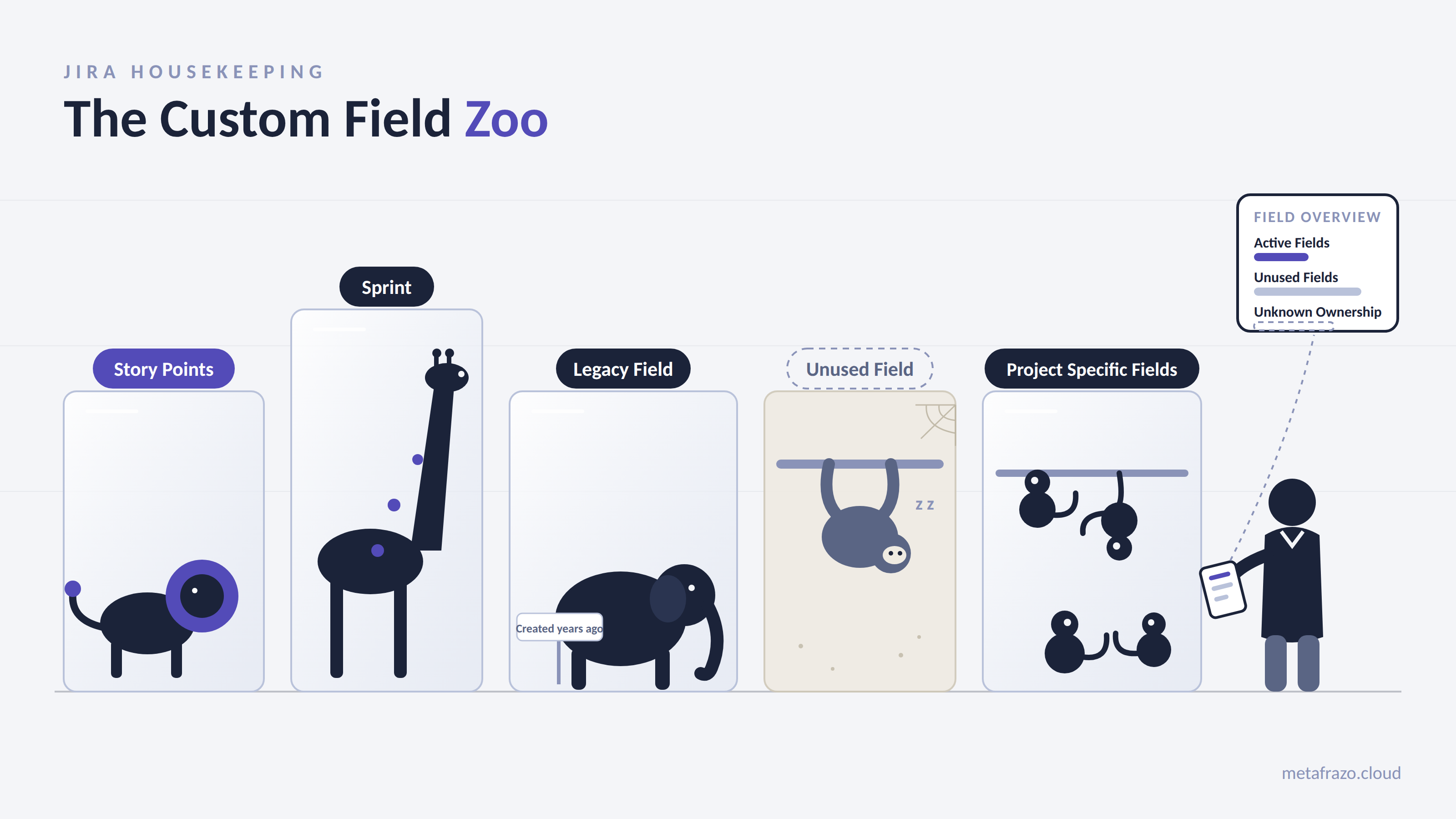
The feature that made Jira successful becomes the source of complexity
Jira's flexibility is one of the reasons why organizations adopt it.
Teams can model their own processes. They can adapt Jira to their way of working without waiting months for central approval.
A new requirement appears.
A new custom field is created.
Work continues.
At team level, this is exactly what makes Jira powerful.
The challenge begins when Jira becomes an enterprise platform.
After years of growth, many organizations discover a familiar pattern:
• hundreds or thousands of custom fields
• fields with unclear ownership
• duplicate concepts represented in different ways
• reporting logic depending on hidden configurations
• migration projects slowed down by unknown dependencies
The question is not:
"How many custom fields do we have?"
The better question is:
"Do we still understand the data model we have created?"
A Custom Field Zoo is not created by bad decisions.
It is created by thousands of reasonable decisions made independently.
The anatomy of a Custom Field Zoo
A mature Jira instance usually contains different species.
1. The Duplicate Species
Two teams need to capture similar information.
Team A creates:
Customer Impact
Team B creates:
Business Impact
Team C creates:
Customer Priority
Every decision makes sense at the time.
Years later, the organization faces a different question:
Are these three different business concepts?
Or are they three different names for the same idea?
Without a shared data model, Jira slowly develops semantic duplication.
The consequence:
Two dashboards answer the same business question differently.
The data exists.
The meaning does not.
2. The Abandoned Species
Many custom fields are created for temporary reasons.
A migration project.
A compliance initiative.
A special reporting requirement.
The initiative finishes.
The field remains.
Years later nobody knows:
Why was it created?
Who owns it?
Can it be removed?
Does something still depend on it?
The challenge is that unused does not always mean irrelevant.
A field may still be connected to:
• workflows
• automation rules
• dashboards
• filters
• integrations
• scripts
Deleting a field is not simply cleanup.
It is a configuration change that needs understanding.
3. The Overloaded Species
Some fields slowly become responsible for everything.
A field called:
Business Requirement
may originally have been created for one purpose.
Over time it becomes used for:
• project classification
• customer requests
• compliance information
• release decisions
The field still exists.
The problem is that its meaning changes depending on who uses it.
The data remains.
The context disappears.
4. The Invisible Dependency Species
A custom field is never just a field.
It can influence:
• screens
• projects
• issue types
• workflows
• automation
• dashboards
• reports
• external integrations
This is why enterprise teams hesitate before removing old configuration.
The question is not:
"Can we delete this?"
The question is:
"What will change if we do?"
Why Custom Field Sprawl becomes an enterprise problem
Reporting loses semantic consistency
Imagine an organization asking:
"How many customer-impacting issues did we have last quarter?"
The answer depends on configuration.
Project A uses:
Customer Impact
Project B uses:
Business Priority
Project C uses:
Severity
The information exists.
But the organization cannot reliably aggregate it.
Jira administration becomes reactive
Administrators spend time answering questions:
"Which field should teams use?"
"Can we create another field?"
"Why do we have five versions of the same concept?"
Instead of improving the platform, teams spend time explaining the platform.
Cloud migrations become more uncertain
During migrations, every unknown dependency creates risk.
Questions appear:
Is this field still required?
Does an app depend on it?
Will reports continue working?
Can this configuration be safely changed?
The cleanup opportunity is often discovered when change is already expensive.
Moving from field creation governance to field lifecycle governance
Many organizations only govern creation.
A request arrives.
A field is approved.
The process ends.
A more sustainable approach manages the complete lifecycle:
Create → Use → Review → Archive
Important fields should have:
• ownership
• purpose
• expected usage
• review criteria
A field should not only answer:
"Can we create it?"
It should also answer:
"Should it still exist?"
Measure usage, not just existence
A custom field existing does not mean it matters.
Enterprise teams need visibility into questions like:
• How many projects use this field?
• How many issues contain values?
• When was it last updated?
• Is it referenced anywhere?
• Are there similar fields already solving the same need?
Governance requires visibility.
Establish a shared Jira vocabulary
Many custom fields are not technical problems.
They are terminology problems.
Before creating a new field, ask:
"Does this concept already exist somewhere else?"
A shared language is the foundation for reliable reporting and scalable Jira administration.
How MetaFrazo approaches the Custom Field Zoo
The challenge for enterprise Jira teams is not creating custom fields.
It is understanding the configuration landscape that develops over years.
MetaFrazo helps teams identify patterns such as unused fields, duplicated concepts and configuration complexity so administrators can make informed governance decisions.
The goal is not to remove Jira's flexibility.
The goal is to make that flexibility sustainable.
Final thought
Enterprise Jira does not become difficult because teams customize it.
It becomes difficult when nobody can see how those customizations evolve over time.
A healthy Jira environment is not one without customization.
It is one where customization remains understandable, intentional and governable.
Rate this post
Related articles
5 Questions with Marie-Kathrin Organiszak (Uelzener)
Marie-Kathrin Organiszak, Product Owner Jira at Uelzener, on moving an insurer to the cloud, keeping Jira consistent across teams and tracing changes.
2026-10-08
NIS2 in Europe: One Directive, Many National Routes to Proof
NIS2 sets one EU framework, but each member state decides how compliance is proven. Greece, Germany, Austria, Spain, Belgium and Ireland compared.
2026-10-06
Traceability is not a Jira problem
Four security dimensions in Spain's ENS can be bought and configured. Traceability cannot. Why audit evidence has to be created while the work happens, and what that means for Jira.
2026-09-29