

Moving to the new workflow editor? Make sure you can still measure your workflows
 Thomas Reisinger·2026-07-10·3 min read
The final notice is out: Atlassian is retiring the old Jira workflow editor between 13–26 July 2026, and the new workflow editor becomes the only place to edit workflows (deprecation notice). If you admin Jira Cloud, you'll be in your workflows this month anyway — reviewing statuses, tidying transitions, maybe consolidating a few schemes you've been meaning to get to.
Here's a prompt worth adding to that work: while you're editing how work should flow, is anyone capturing how it actually flows — and what changed when you edited it?
A workflow edit is a governance event
When you add a status, remove a transition, or drop a validator in the new editor, you've changed a control. In most orgs that change leaves no trail — no record of what changed, when, or by whom. Six months later, when an auditor or a CISO asks "why can issues jump straight to Done?", the honest answer is a shrug and a scroll through memory.
At MetaFrazo we treat every workflow-definition change as an event: we snapshot the definition on a schedule, diff it (added/removed statuses, transitions, conditions, validators, post-functions, screens), score the severity, and attribute it. "We think it changed around Q2" becomes "here's the exact version diff and the date."
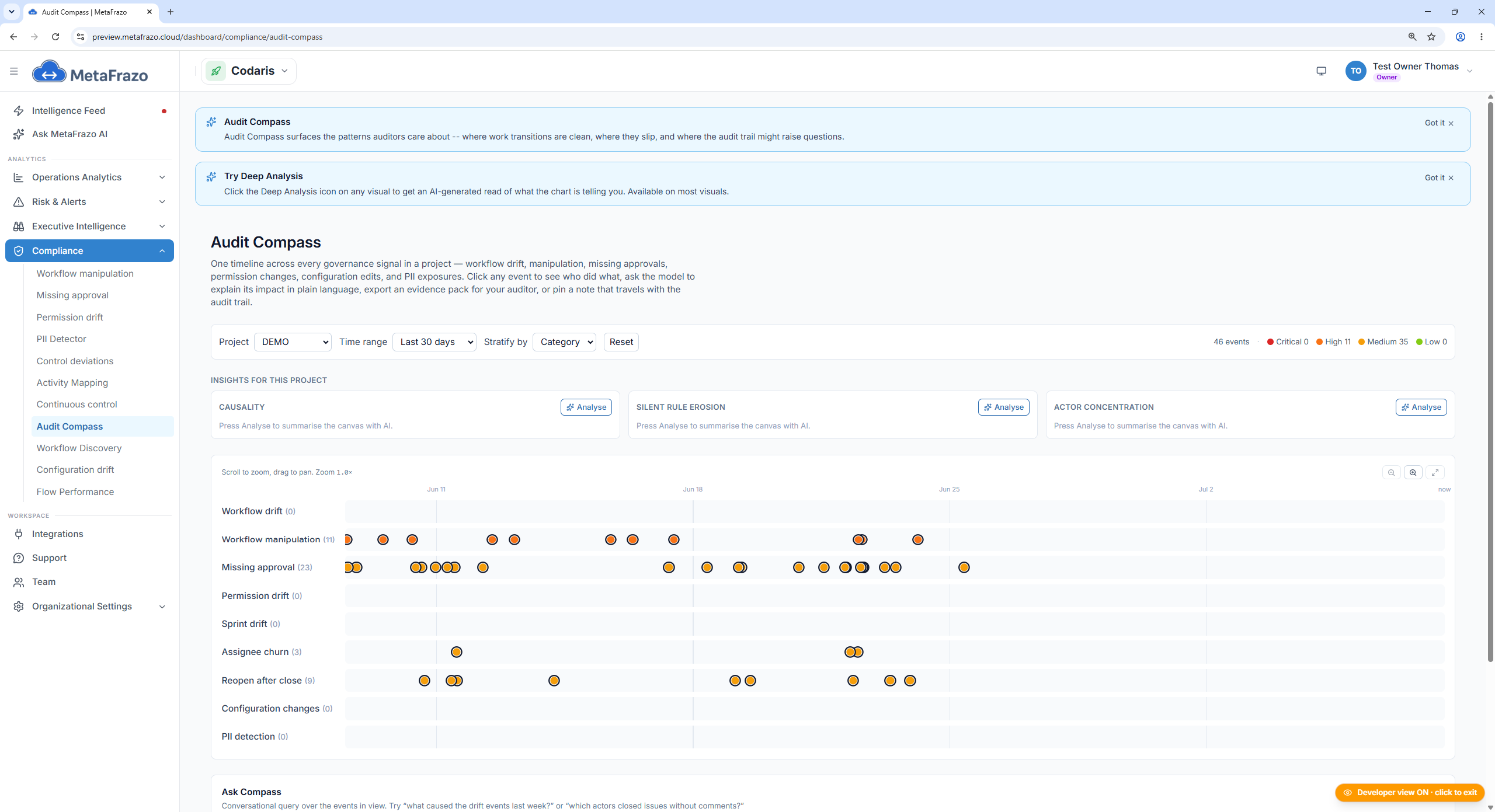
[Screenshot — Workflow Drift Stream: a diffed, severity-scored timeline of workflow-definition changes with attribution.]
And when the same status name starts appearing under different status categories across projects, that is configuration drift you can actually see and act on:
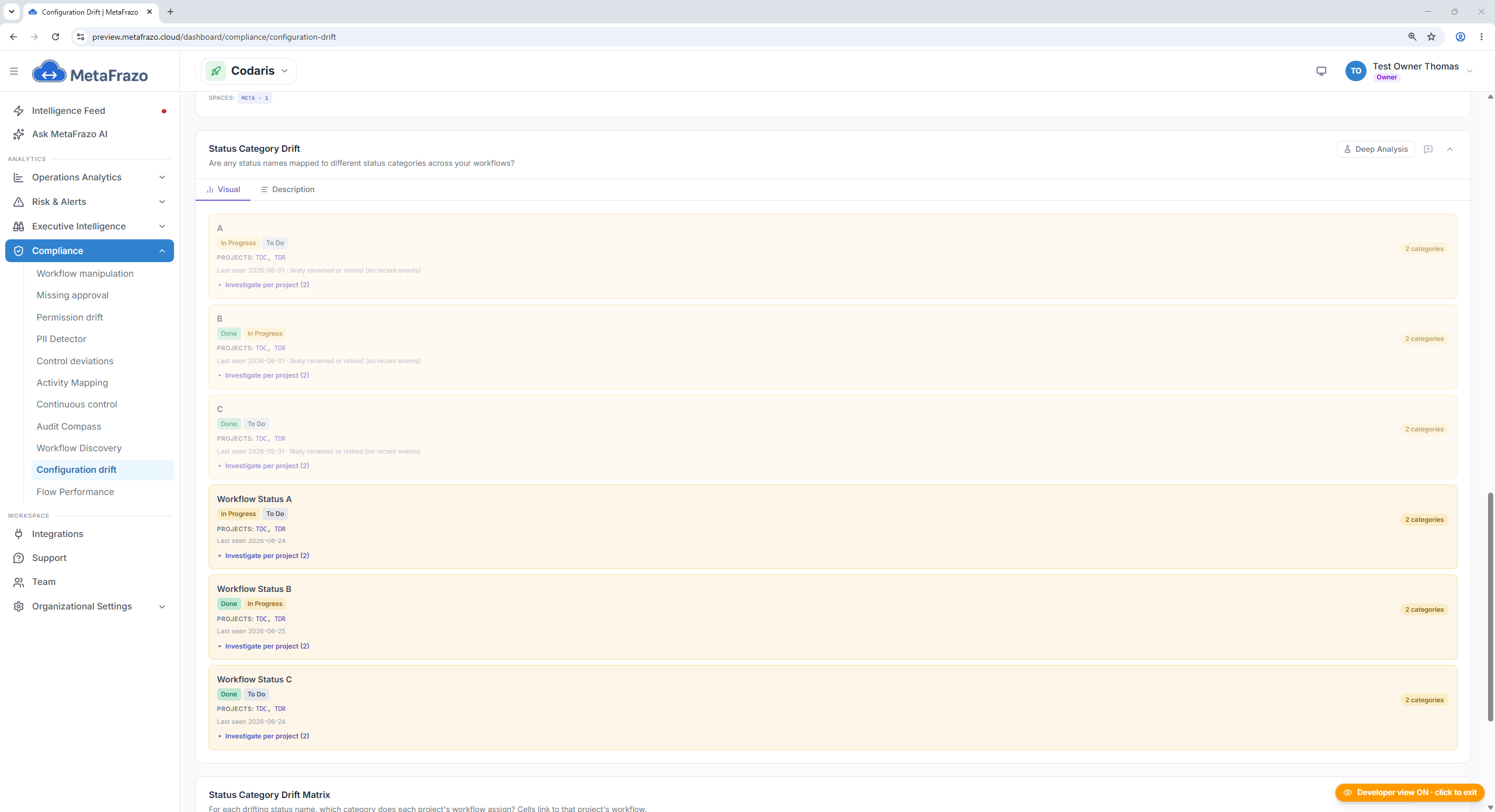
[Screenshot — Status Category Drift: one status name mapped to more than one category across projects.]
Your diagram is the intent; your issue history is the truth
The workflow you draw in the editor is the process you intend. The process your team actually runs is already sitting in your issue history — every transition that ever fired. The two are rarely identical: shortcut paths, reopen loops, statuses nobody uses anymore.
MetaFrazo reconstructs the process your team actually runs as a mined graph from issue history — independent of the workflow you declared — so you can see the gap before you redesign, and edit against reality instead of the org chart.
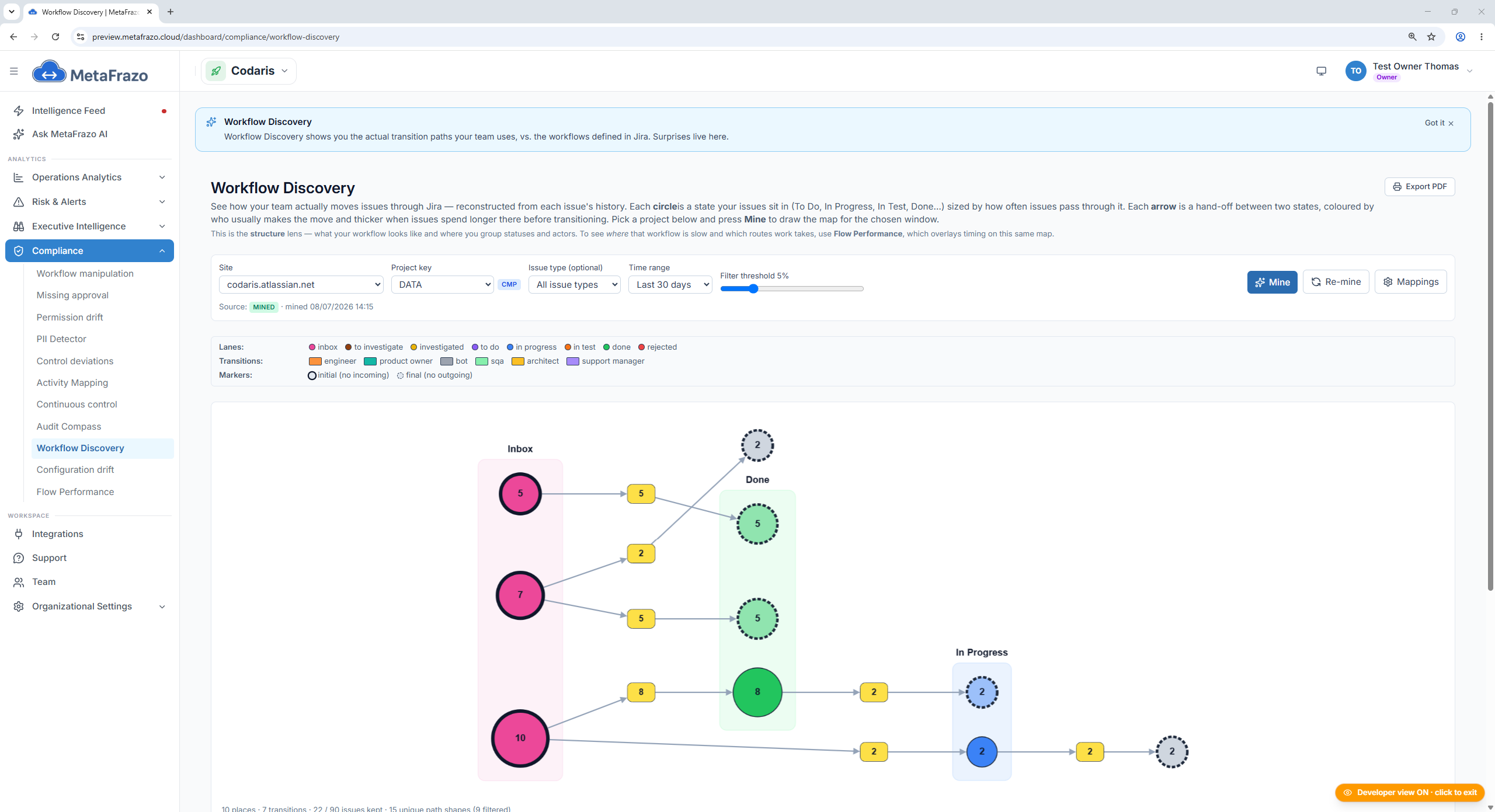
[Screenshot — Workflow Discovery, the mined process graph reconstructed from real issue transitions, with variants and rework loops.]
After you clean it up, prove it worked
The point of tidying a workflow is faster, more predictable delivery — and that's measurable. Overlay delivery timing onto the discovered process — cycle time, lead time, and where issues wait — and the bottleneck stops being a hunch:
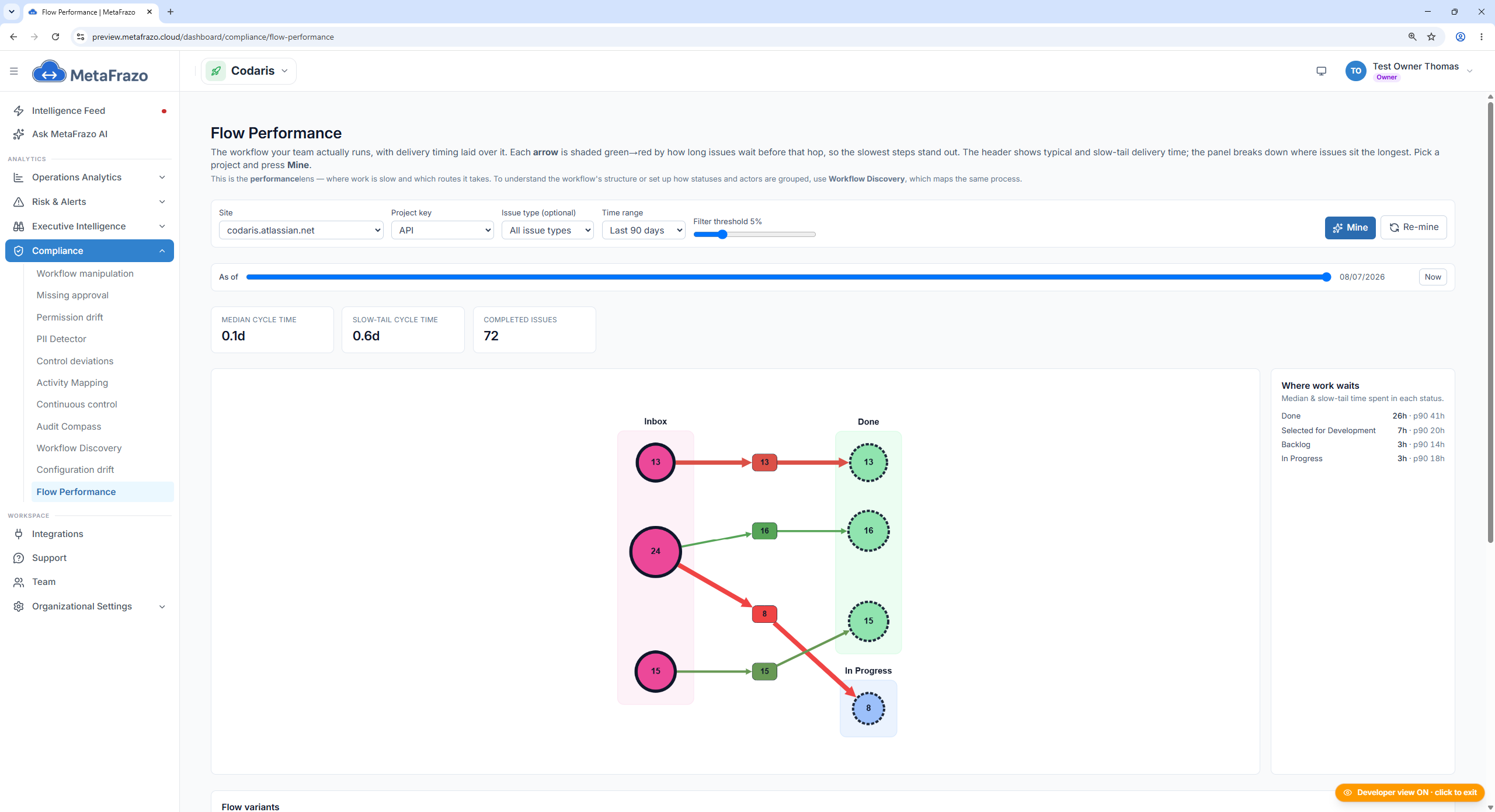
[Screenshot — Flow Performance & Variant Explorer: per-status dwell time and cycle/lead-time percentiles on the discovered process.]
Zoom into where work piles up, and watch it over time:
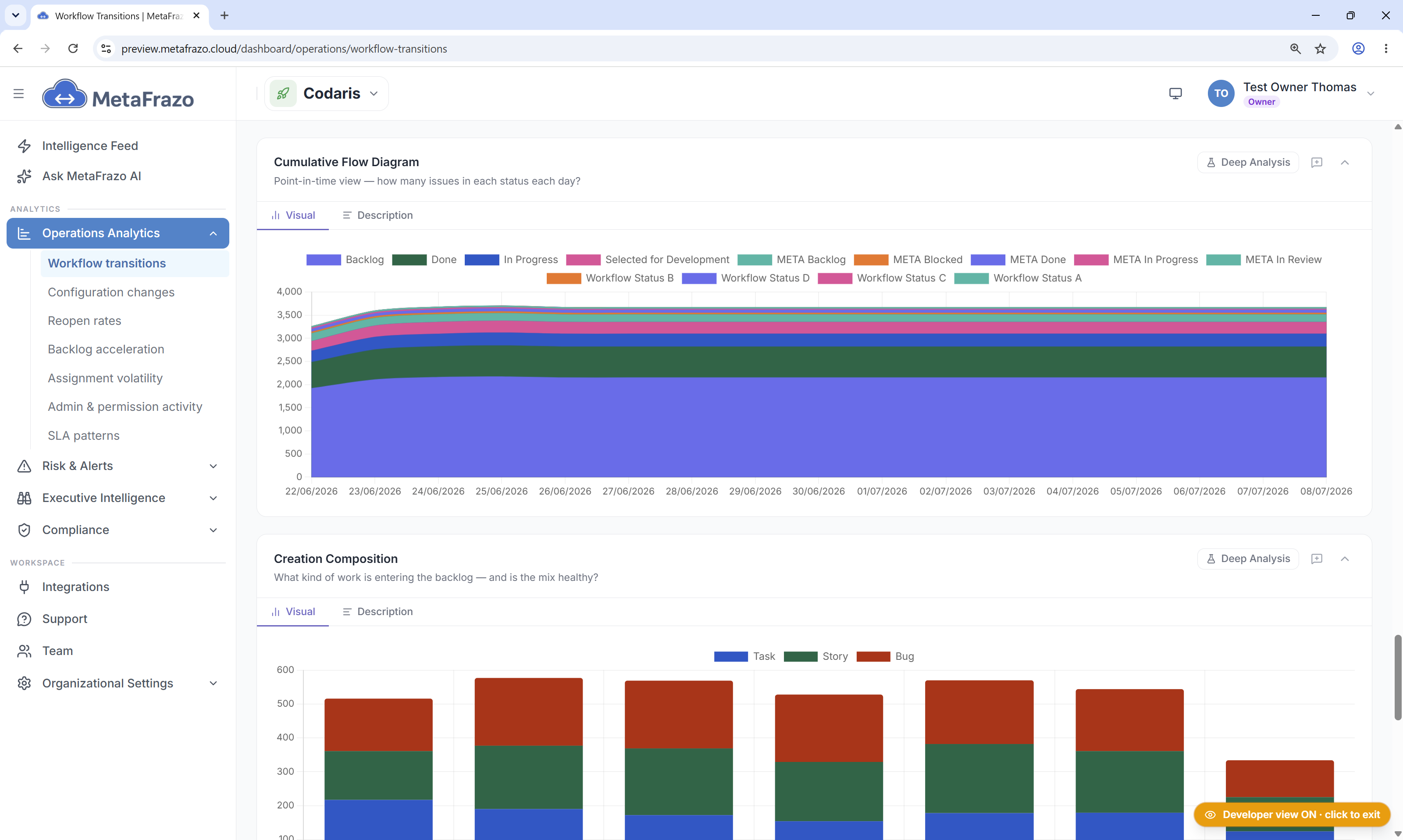
[ Screenshot — Status Bottleneck Heatmap next to a Cumulative Flow Diagram: where work waits, and how the queue moves week over week. ]
Capture these before and after the edit and you can show the change paid off — or catch early that it didn't.
Takeaway
The move to the new editor is a good moment to make sure your workflow changes are observable, not just editable.
-
Try MetaFrazo on the Atlassian Marketplace: https://marketplace.atlassian.com/apps/3823548367/metafrazo-connector-pro
-
More: https://metafrazo.cloud
Rate this post
Related articles

Your Jira Remembers 180 Days. Your Auditor Asks About Two Years.
The site audit log holds up to six months, the organization log 180 days, automation logs 90. Audits ask about periods that are longer than all three. Why evidence has to exist before anyone asks for it, and what continuous history changes.
2026-09-14
5 Questions in the Atlassian Universe with Martin Runge
Martin Runge, Head of Atlassian Practice at XALT, on how long Jira actually remembers who changed what, why backup is more the customer's job than most Cloud teams realize, and what separates a logged change from an authorized one.
2026-09-10
What DORA Really Asks of Your Approvals
DORA no longer asks whether an approval control exists, but whether it still works across your whole Jira over time. That drift never shows in a single ticket. Here is where Article 9 fits, and why the evidence you need is already in your Jira history.
2026-08-19