
5 Questions with Jacek Wizmur-Szymczak: Jira Integrations
 Maria Reisinger·2026-11-05·10 min read
About Jacek
Jacek Wizmur-Szymczak · Co-Founder, Getint · Gdańsk, Poland
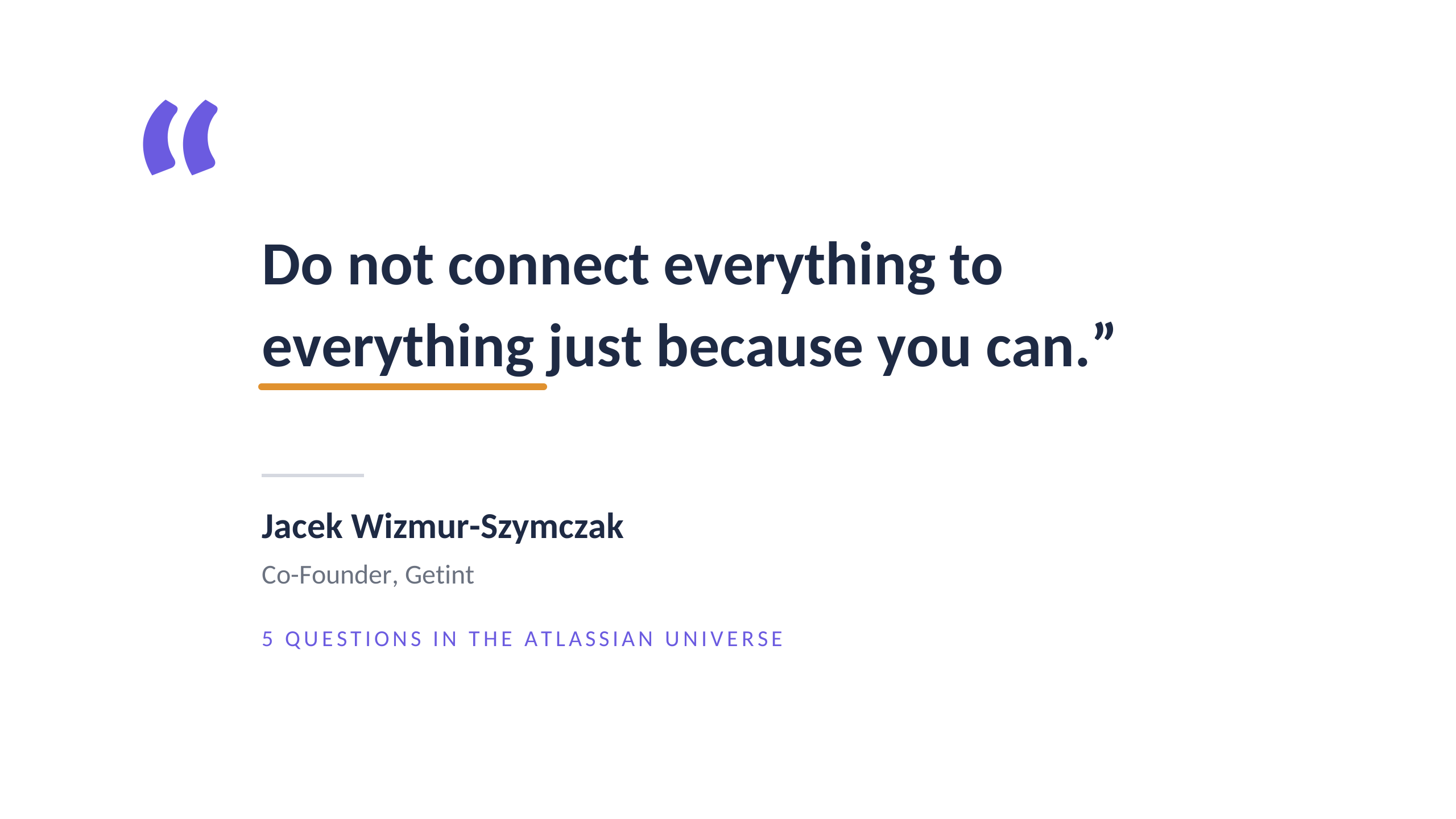
"Do not connect everything to everything just because you can."
Jacek Wizmur-Szymczak is Co-Founder of Getint and has held C-level roles at IT companies. He combines experience in technology, product, marketing and operational change.
Before Getint, he worked on marketing strategies for major brands, including Effie-recognised campaigns. He has also spoken at industry events, including Atlassian User Group events, sharing practical experience in areas such as Jira, agile ways of working, planning and cross-team collaboration.
At Getint, his focus is practical: helping organisations connect or migrate complex work-management environments without disrupting the teams that depend on them.
Areas of expertise: Cross tool integration · Migration · Jira · Agile ways of working · Cross team collaboration
About Getint
Getint is an integration and migration platform that helps organisations connect the systems their critical work depends on, including Jira, ServiceNow, Azure DevOps, Salesforce, GitHub, GitLab and Asana.
The company works with enterprise and mid-market organisations operating across complex, multi-tool environments, including customers such as Airbus, Lufthansa, Škoda and Deloitte. Getint supports both ongoing synchronisation and staged migrations, allowing teams to keep business-critical work connected while systems transition.
Getint was recognised in Deloitte Technology Fast 50 Central Europe 2025 in the Companies to Watch category. It is an Atlassian Marketplace partner and maintains partnerships with Microsoft, Asana and GitLab.
1. Getint sits between Jira, ServiceNow, Azure DevOps, Salesforce and more. What do you see from that position that teams looking at only one tool usually miss?
There is no silver bullet. No single tool is right for every company, team or process.
What we see from working across platforms is that a tool choice often reflects how a team operates. Some organisations start with tools such as Asana, monday.com or ClickUp because they are accessible and quick to adopt. As their processes become more complex, they often need more structure, deeper customisation, stronger governance or a broader ecosystem.
That is one reason why many teams move towards platforms such as Atlassian. Jira can support software delivery, Jira Service Management can support service teams, and Confluence can hold knowledge in the same wider environment. Atlassian is versatile, but it’s obviously not the answer to every need. It’s also about the depth of the ecosystem and the range of specialised apps around it.
Microsoft’s ecosystem is another strong example. Azure DevOps provides services such as Boards, Repos and Pipelines, while it can sit alongside other Microsoft products, including Teams and Power BI. At the enterprise end of the market, ServiceNow and Salesforce are often deeply embedded in business processes that have been built over many years.
We are also seeing a continuing shift in hosting models. Atlassian ended support for Server in 2024, and its long-term direction is Cloud, while some organisations still need self-managed options. In those cases, platforms such as GitHub, GitLab and Atlassian Data Center remain part of the conversation.
The important point is this: different teams have valid reasons to use different tools. The problem starts when those teams need to work together and assume that effective collaboration requires everybody to move into one system. It doesn’t.
A team can keep Jira as its source of truth while another works in ServiceNow, Azure DevOps or Salesforce. And sometimes standardisation is not even an option: two separate companies may need to collaborate while each must retain its own tools, processes and governance.
Even when both sides use Jira, they can still need an integration. Separate Jira environments may have different workflows, issue types, field configurations, permissions and ways of working. “We both use Jira” does not mean the two systems are interchangeable.
That is where Getint fits in. We help teams collaborate across the tools they already rely on, without forcing everyone into the same interface or breaking established processes.
For example, in one cross-company engagement, Airbus Protect worked in Jira while its customer used ServiceNow to manage incidents. Both sides needed to stay aligned on incident details, statuses, comments and attachments, but moving either organisation to the other platform was not a realistic option. Integration allowed both teams to keep working in their own environment while collaborating on the same operational reality.
Done well, integration reduces manual handovers, preserves context and gives each team the freedom to work in the environment that makes sense for them—while still contributing to a shared outcome.
2. In many organisations, users stay in ServiceNow and IT stays in Jira. When should teams connect their tools instead of consolidating on one?
It comes down to how people work every day. If one team is comfortable in ServiceNow and another relies on Jira, why force everyone to change their tools when they can work together effectively?
Sometimes consolidation is simply not realistic. This is especially true in cross-company collaboration, where each organisation has its own platform, processes, governance and internal standards.
That is where integration brings the most value. Larger organisations often have good reasons for choosing different tools. As long as the right information flows reliably between them, there is no need to make everyone work in the same way.
Consolidation can make sense when workflows are genuinely similar and maintaining multiple platforms creates more problems than it solves. But it is rarely just a technical decision. A migration may involve hundreds of thousands of records, complex dependencies and users who need time to learn a new environment. You cannot do it overnight.
This is also where Getint can help with migrations. A company can run Jira and ServiceNow in parallel, synchronise the relevant work, and transition teams gradually over a defined period. That creates a safer migration path: the organisation can validate the process, reduce disruption and move one group at a time rather than forcing a big-bang switch.
The integration is not separate from the migration strategy. It is what can make a gradual migration operationally possible. Teams can continue their daily work while the transition is underway, instead of pausing the business just to change systems.
From what we see, connecting existing tools is often the more practical choice—especially when the real objective is better collaboration, not simply fewer systems.
3. What breaks most often when work items travel between systems: SLAs, ownership, the meaning of fields, something else?
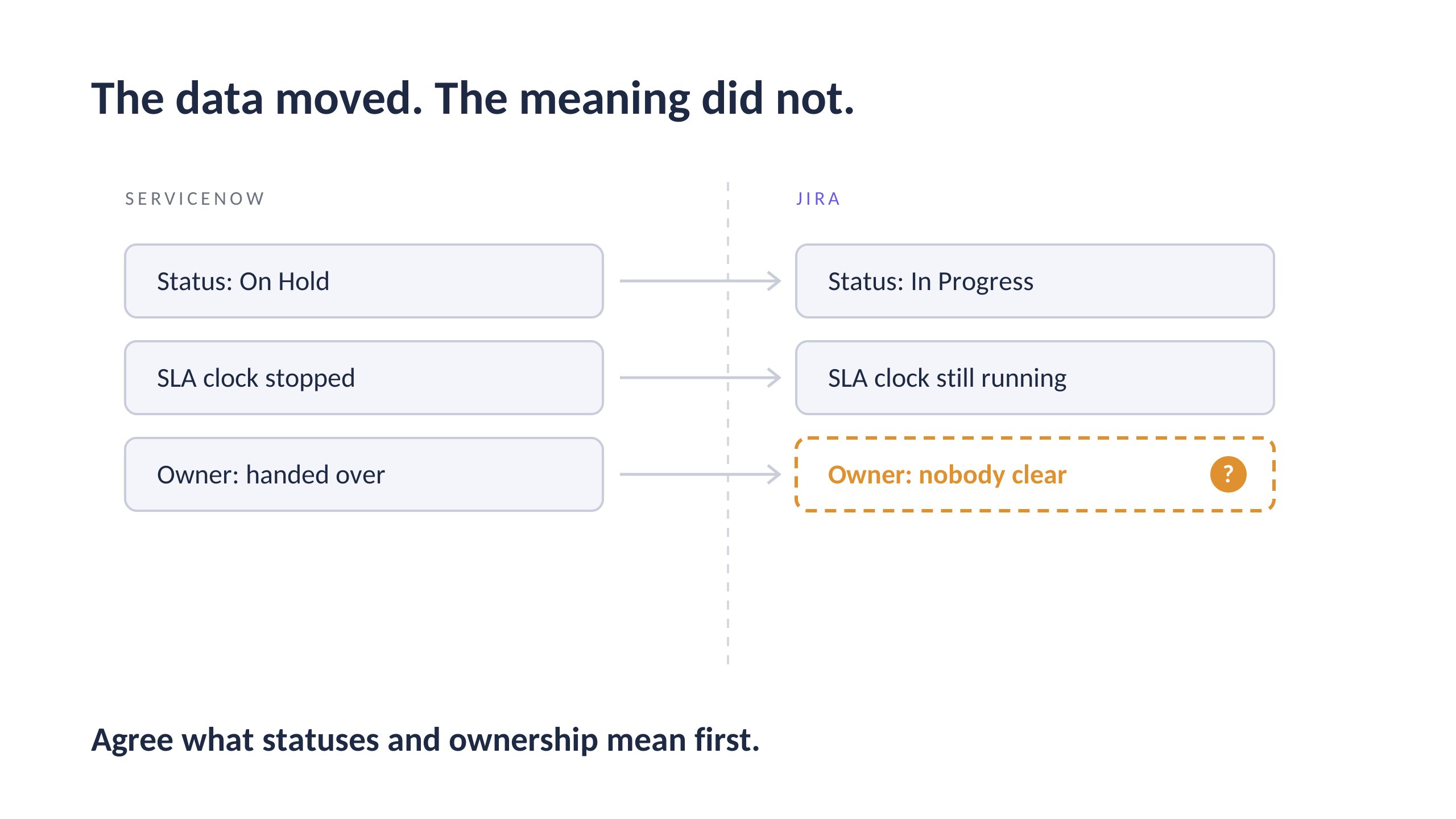
The biggest problem is usually not that information fails to move. It is that information moves but loses its meaning.
That then affects everything else: ownership, priorities, SLAs and reporting. A ticket might be marked as “On Hold” in ServiceNow, while the corresponding work item in Jira remains “In Progress.” One team assumes the SLA clock has stopped; the other assumes it is still running. Or a ticket is transferred to another team, but there is no clear owner on the receiving side.
These details can look small, but they quickly turn into missed deadlines, incorrect reporting and frustrated customers.
The same applies to fields. One team may want a simple project with only a few fields. Another may need detailed records, with dozens of fields and many of them required. The answer is not to copy everything blindly. It is to understand what each field means, which data is genuinely necessary for the receiving team and what must happen when the two systems do not use the same concepts.
You do not need identical workflows in both systems. You do need a shared understanding of what is happening, who is responsible and what needs to happen next.
That is why integration should not start with configuration. It should start with the business process. The technical connection is the last step; the hard work is agreeing what the data, statuses and ownership actually mean.
4. When an auditor asks, “Who changed this, when, and why?” and the work item lives in two systems, how well can a typical setup answer, and where does it fall short?
This is where things can get tricky.
Most systems can show what changed and when. The harder question is identifying who originally made the change once information has moved between tools. An update may appear under an integration account rather than the person who created it in the source system.
A well-designed setup can preserve useful context. For example, Getint can retain original-author and timestamp information in synced comments, and its synchronisation records can help explain how an update travelled between systems. But that does not automatically create a single, complete audit trail across two platforms.
The “why” is usually the hardest part. A system can record a status change, but it may not capture the business decision behind it. For that, an auditor may still need to review both systems, the original comments, approvals and the relevant process documentation.
My advice is to plan traceability from the beginning. Decide which system is authoritative for each type of information, what must be retained during synchronisation, how long records must be available, and how exceptions will be handled. If you wait until an audit to answer those questions, you are already late.
5. What one piece of advice would you give a team setting up its first cross-tool integration?
Do not connect everything to everything just because you can.
Teams often get excited about automation and try to synchronise every field, work item and workflow from day one. That creates unnecessary complexity, especially when different teams have different priorities and ways of working.
Start by speaking with the people who actually use the tools. Where do manual updates take the most time? Where is context lost? Which handoffs create delays or confusion?
Then choose one meaningful workflow and make it work properly. Define the ownership, the status logic, the information that must move and the information that should stay local. Prove that it improves everyday work before expanding the scope.
You can add more fields, work item types and connections later. The goal is to make collaboration easier and more reliable. We don't want the largest possible integration just because we can do that
Also, choose the tool deliberately. Look beyond the user interface and the first demo. Ask how quickly you can go live, how the platform will scale, how failures are detected and resolved, and what support looks like when something breaks. You are not only choosing a product. You are choosing a partner for an operational process that people will depend on.
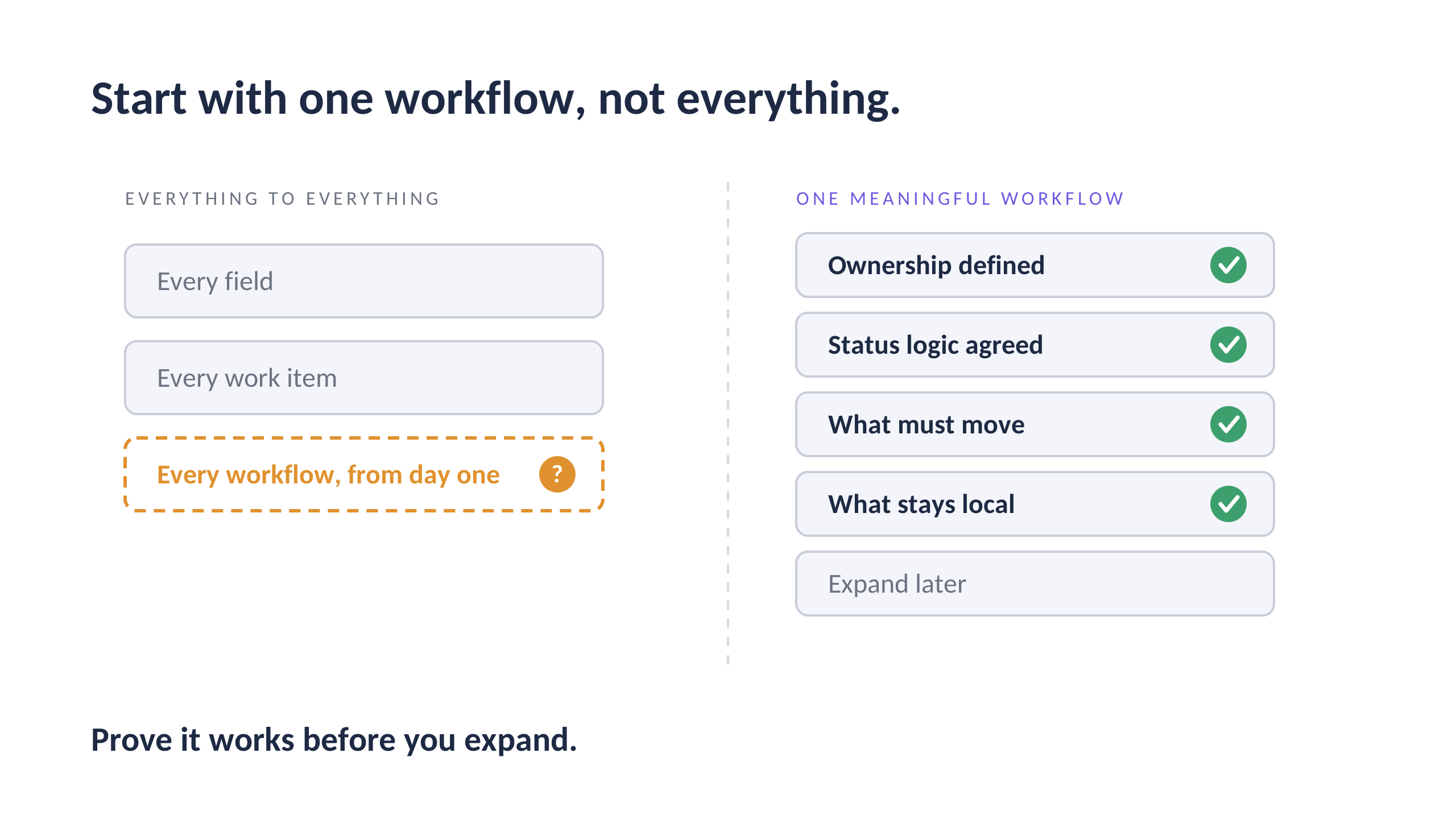
Five lessons from Jacek Wizmur-Szymczak
-
Different tools can be the right choice. Teams have valid reasons for their tools. Collaboration does not require everyone to move into one system.
-
Same tool does not mean same setup. Two Jira environments can still differ in workflows, fields and permissions.
-
Agree on meaning before moving data. Statuses, ownership and SLAs need a shared definition, or the data arrives but the meaning is lost.
-
Plan traceability from the start. Decide which system is authoritative and what must be kept, before the audit asks.
-
Start small and prove it. One meaningful workflow first, then expand.
Thank You
Our sincere thanks to Jacek Wizmur-Szymczak for a clear view from the space between tools, where the data may arrive but its meaning still has to be agreed.
We truly appreciate your time and your openness.
About this series
5 Questions in the Atlassian Universe is an interview series by MetaFrazo featuring experienced practitioners from across the Atlassian ecosystem.
Each conversation explores practical lessons and real challenges from people who build, run and grow work in the Atlassian ecosystem.
Because the best ideas don't come from tools alone. They come from the people who use them every day.
About MetaFrazo
MetaFrazo turns the events of your Jira Cloud site into operational, governance and compliance analytics. See what changed. See who changed it. Without building a report.
www.metafrazo.cloud · Available on the Atlassian Marketplace
See you in the next edition of 5 Questions in the Atlassian Universe.
Interview conducted in writing, October 2026.
Rate this post
Related articles
5 Questions with Robert Hean: Train for Day One
Robert Hean of Hean.Tech on training people the way he wished he had been trained, admin confessions and keeping the why next to every Jira change.
2026-11-19
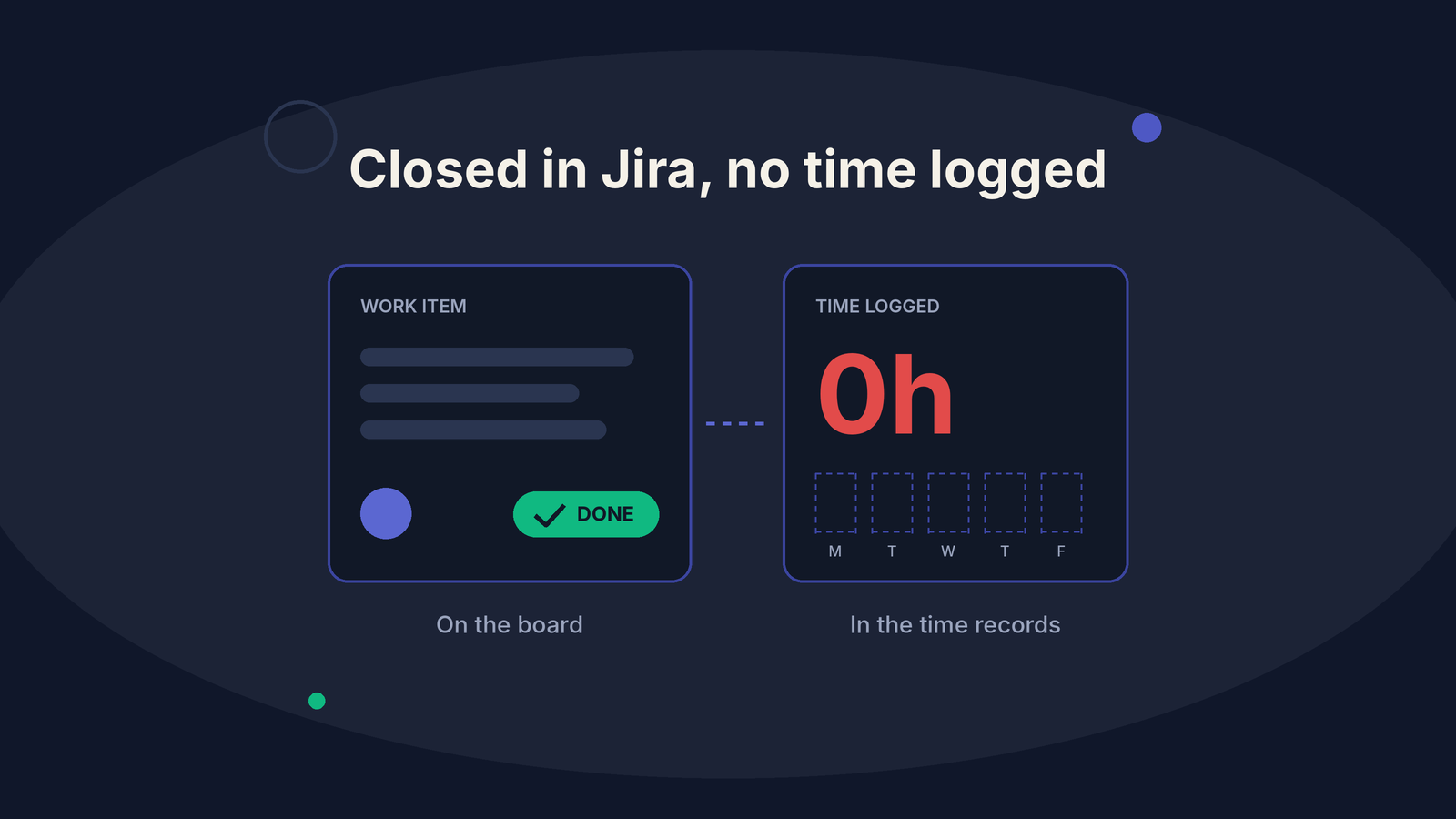
Closed in Jira with no time logged: finding the reason
Why are Jira work items closed with no time logged? Combine the Jira event history with the team's resource plan to find the reason.
2026-11-17
5-questions-in-the-atlassian-universe-with-rishabh-jhawar
Rishabh Jhawar of Beyond Key on asking why before you build, moving procurement out of Excel and what an audit trail needs to explain later.
2026-11-12