
Three ways AI reaches a Jira work item. Only one stays separable.
 Thomas Reisinger·2026-10-13·8 min read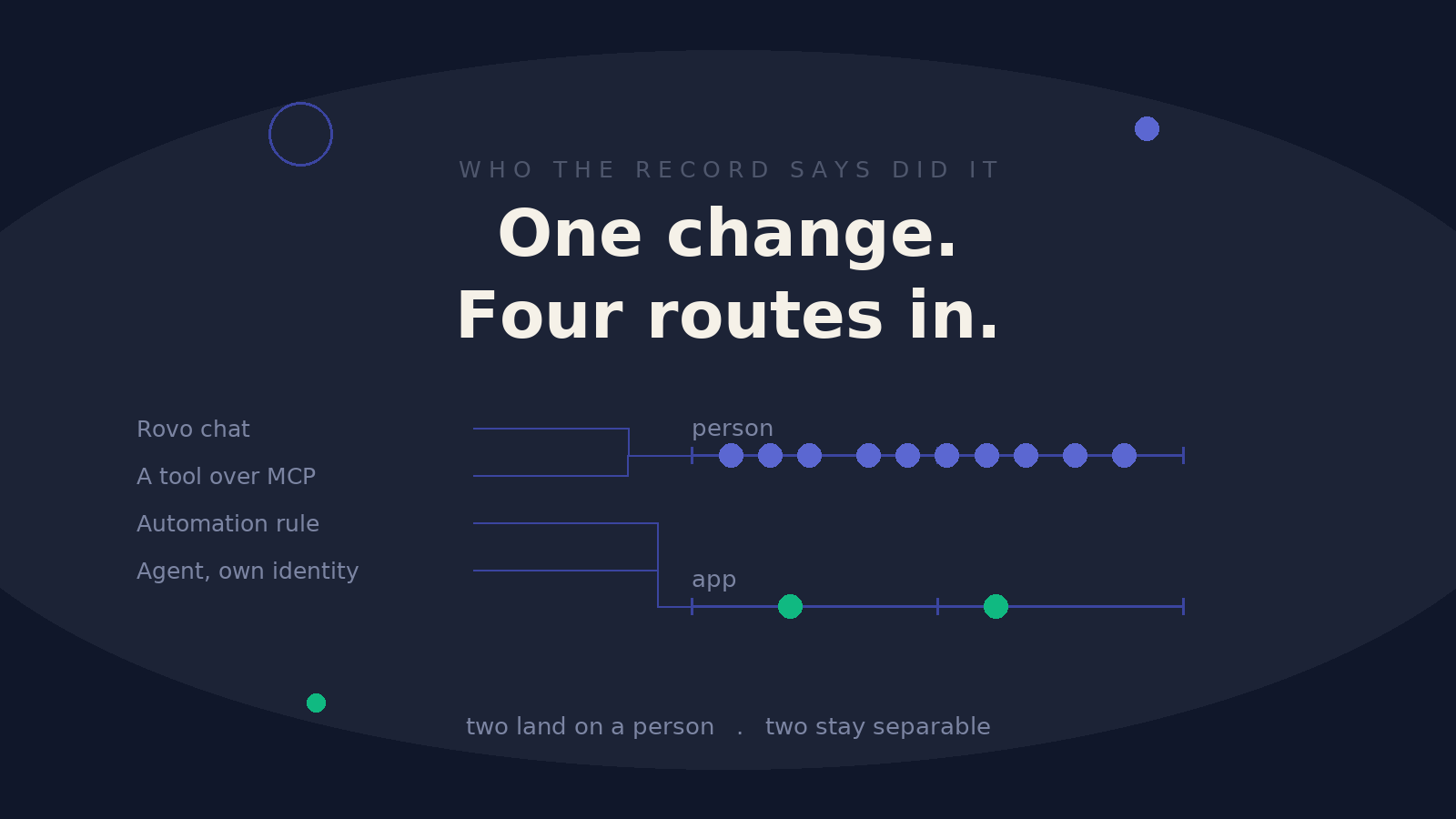
We ran the same change through Jira three different ways: a Rovo chat message, a tool connected over Atlassian's MCP server, and an Automation for Jira rule that calls Rovo. Same outcome on the work item. Three different answers to the question of who did it. Then we asked Atlassian about a fourth.
The short version
Two of those three land on the signed-in person's account. The third lands on an app account and stays separable from human work for good.
Nothing on the issue marks the difference. The change history looks the same either way.
That is not a gap anyone left open by accident. An action taken on your behalf is recorded as yours, which is the correct answer for permissions, for notifications and for accountability. It is simply a different question from the one a reviewer asks when they want to know how much of this quarter's work a person actually did.
What we tested, and what came back
Three tests in September and October 2026, each making a real change to a real work item on a test site.
Rovo chat. Asked Rovo to make the change in conversation. Recorded under the signed-in person's account. The issue and its change history carried no other marker.
A tool over the Rovo MCP server. Connected an external client and had it write through the MCP server. Same result: the person's account, no other marker.
An Automation for Jira rule calling Rovo. Recorded under the Automation for Jira app account. The rule wrote a comment and a field change within about three seconds, both under the app. The person who triggered the rule appeared only against their own separate actions.
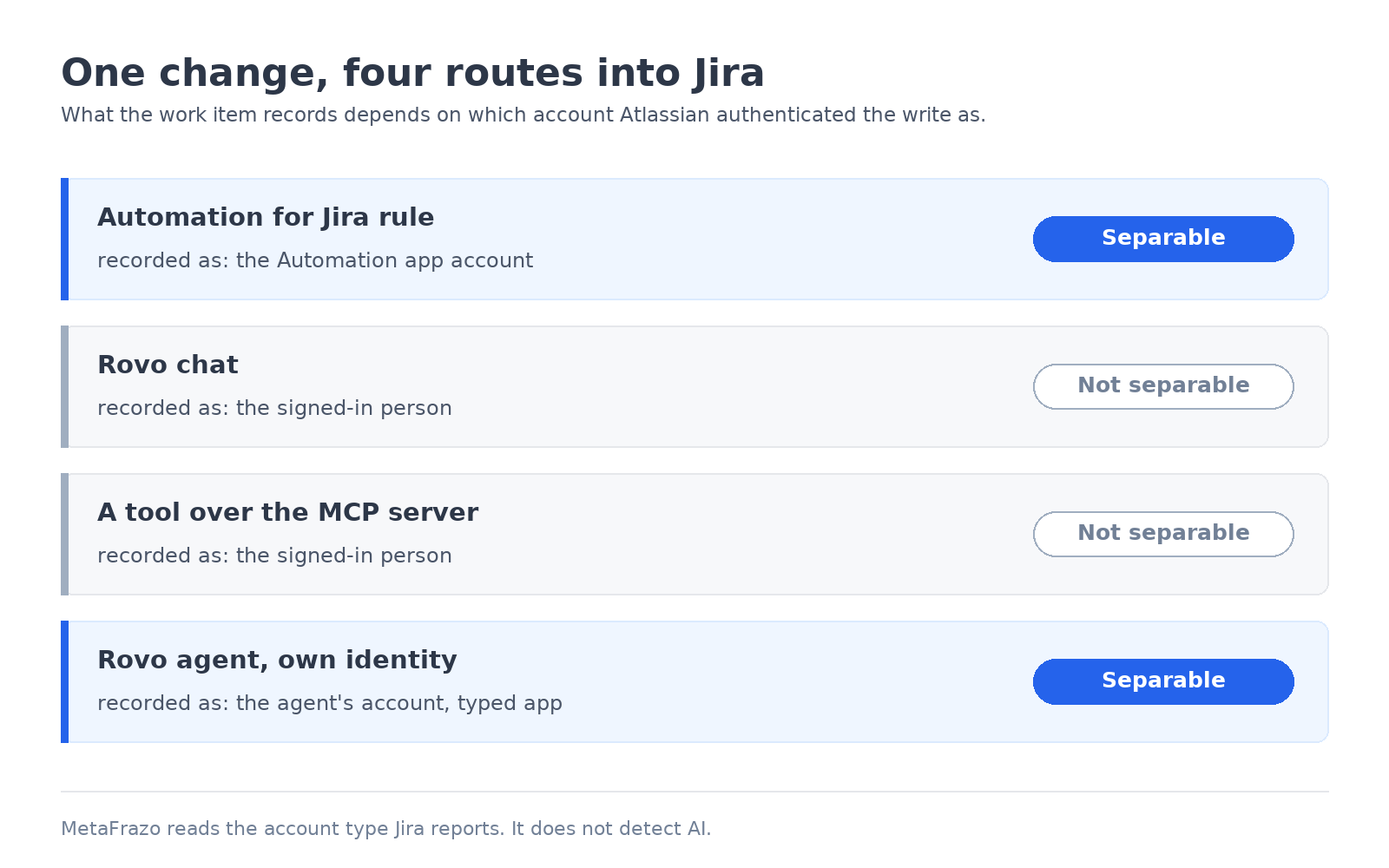
So the determining factor is not whether AI was involved. It is which account Atlassian authenticated the write as. A rule has its own account. A chat message and an MCP call borrow yours.
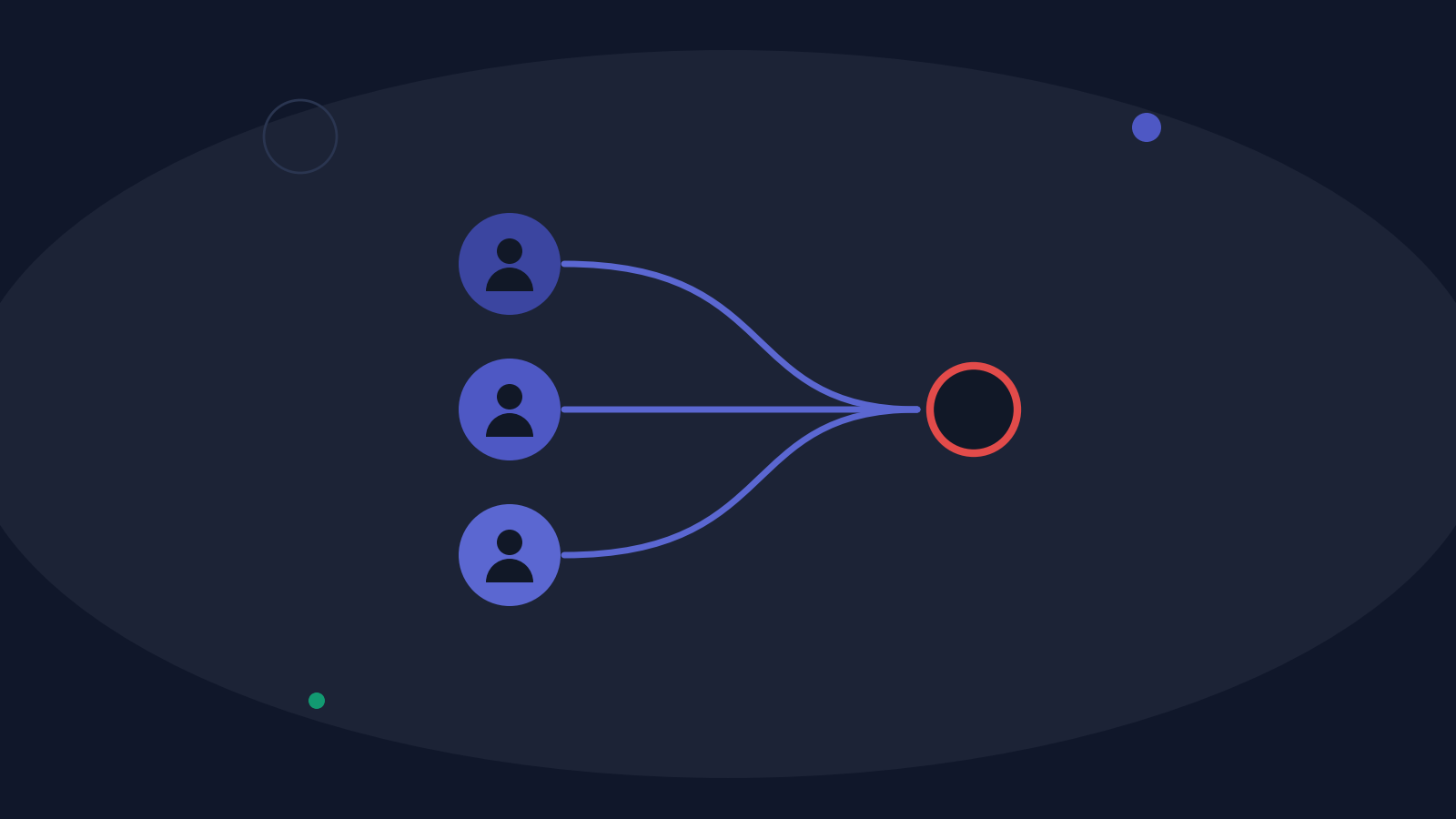
Illustration, not product data.
Why this matters more than it sounds
Here is the measurement that made us write this up, taken on 2026-10-12. Across our demonstration tenant, where the data is generated and we control everything in it, 44,399 of 44,441 events carry an account Jira reports as a person. That is 99.9%, against 42 events from three app accounts. The largest of those three is Automation for Jira.
Our own Jira, which is real work by a real team, lands in the same place, measured the same day: 98.4% of events under person accounts, with app activity rounding to zero.
Those two numbers look like a healthy, human-run estate. They are also exactly what an estate would look like if a large share of that work had been done through Rovo chat, because chat activity is inside the 99%, not beside it.
The share of events under person accounts does not fall as agentic work grows. It cannot. That is the part worth sitting with.
Measured on our own tenants, 2026-10-12.
Where the evidence actually lives
Jira's own history is not the only record, and the other one behaves differently.
The organization audit log, under admin.atlassian.com in Insights → Audit log, does record Rovo activity. Reading our own organization's export on 2026-10-11, the two entry types differ in the way that matters:
-
A tool call through the MCP server is logged as
mcp_tool_invokedand carries the REST path it called. A write therefore names the work item, for examplePUT /rest/api/3/issue/ABC-123. -
A Rovo chat turn is logged as
rovo_chat_invokedand carries a conversation id, the surface, and the tools that turn used. It carries no work item key.
An MCP write can be matched back to an issue. A chat turn can only be matched to a person and a time. That is one observation of one organization, so check your own before relying on it.
Two limits on this route. It needs an organization admin, and Atlassian documents a retention of roughly 180 days, so anything older had to be exported already. There is a programmatic equivalent, GET /v1/orgs/{orgId}/events, behind an organization admin key. That is a privileged credential, and MetaFrazo neither asks for it nor holds it.
Three things we checked that do not help
Worth writing down, because each one looks like it should work.
Agent sessions. Atlassian documents them as created by assigning work items to agents, using them in workflows, or mentioning them in comments. Each session ties to a work item. But Atlassian describes a screen, not a field: there is nothing in the issue, in a webhook, or available to an app. Checked on 2026-10-11, requesting it through the REST issue resource returns nothing.
The undocumented search predicate. Jira's advanced search accepts agentSessions, which Atlassian does not document. On the site we tested it matched nothing for either value, which is what you would expect where no agent has been given a work item. It is a search filter, so it puts nothing in reach of an app either way.
historyMetadata. Jira's issue-edit endpoint accepts a field that lets an app label its own writes with an actor, a generator and a cause. Neither Rovo nor Automation for Jira fills it in, on any change we have examined. It labels what an app chooses to say about itself.
What we do instead, and what we will not claim
MetaFrazo reads the account type Jira reports for each actor: a person, an app, a service desk customer, or unknown when Jira returns no type. Those four are facts from Atlassian, not guesses from a name. An account is an app because Jira types it as one, never because it has "bot" in it.
MetaFrazo does not detect AI. There is no field in the data to detect it from, so any product claiming otherwise is inferring. A change recorded under a person's account counts as that person's action, whatever tool acted through it. Which visuals treat each class which way is set out on our docs page, People, automation and AI activity.
The fourth route, and the answer we had to ask for
There is a fourth way AI reaches a work item, and until this week we could not say what it looked like in the record.
Atlassian lets an administrator give a Rovo agent its own identity, so the agent acts under its own account instead of as the person who runs it. What an API sees for such an account is not documented anywhere we could find, the setting could not be changed on the site we tested, and the same question had been sitting unanswered in Atlassian's developer community since February 2026.
So we asked Atlassian Ecosystem Support directly. They built one and checked.
An agent's own account reports "accountType": "app". Support created a Rovo agent in Atlassian Studio, set its identity to the agent's account, and queried /rest/api/3/user?accountId={agentAccountId}. The answer came back app, and the Confluence user endpoint agreed.
That is the good outcome, and it means the fourth route behaves like the first:
How it actedWhat Jira recordsSeparable?Automation for Jira rule calling Rovothe Automation app accountYesRovo chatthe signed-in personNoA tool over the Rovo MCP serverthe signed-in personNoA Rovo agent under its own identitythe agent's own account, typed appYes
No product change was needed at our end. An agent given its own identity is already read as an app, because Jira types it as one, which is the only rule we apply.
Two caveats, and they are Atlassian's own. Support was explicit that whether app is the stable answer, and whether a new account type might be introduced specifically for agents, are product questions they could not settle. So treat app as what the API returns today. If a distinct agent type appears later, that is a better outcome than the one we have, and the classification moves with it.
The practical consequence for an administrator is simple. The identity setting is the lever. An agent running under its own account leaves a separable trail. The same agent running as the person who starts it does not, and neither does chat or MCP. That is a configuration decision available to you today, it applies to future activity only, and it does not reclassify history already recorded under a person's account.
Questions worth asking about your own estate
None of this says anything has gone wrong anywhere. It says the record answers a narrower question than people assume.
-
What share of your Jira events carry an app account, and has that share moved in the last six months?
-
Which of your automation rules call Rovo, and does anyone outside the team that built them know?
-
If a reviewer asked how much of a given project was produced through an assistant, what would you actually be able to show?
-
Is your organization audit log being exported anywhere, given the 180 day horizon?
If the last one is uncomfortable, that discomfort is useful. It usually means the window has already closed on a period somebody will eventually ask about.
A closing note
Jira records every event, and it records them accurately. The thing that changed is what an account now means. One account used to stand for one person doing one piece of work. Today it can stand for a person, a tool acting with that person's permission, or a conversation that produced a change nobody typed.
The honest position is to say which of those the record can separate, name the ones it cannot, and stop there. For teams preparing a DORA or NIS2 review, that boundary is a more useful thing to bring to the conversation than a number that implies more certainty than the data holds.
The actor classes are read on every edition. The visuals that break activity down by account class, and the audit log of configuration changes with its actor column, are part of Audit Trail and Compliance Analytics.
You can find it on the Atlassian Marketplace as Audit Trail and Compliance Analytics for Jira.
Rate this post
Related articles
Atlassian Analytics and Jira Governance: Who Owns the Query?
Every audit asks the same Jira questions, and nobody owns the query. What Atlassian Analytics offers, who it is built for, and where MetaFrazo adds to it.
2026-09-28
What DORA Really Asks of Your Approvals
DORA no longer asks whether an approval control exists, but whether it still works across your whole Jira over time. That drift never shows in a single ticket. Here is where Article 9 fits, and why the evidence you need is already in your Jira history.
2026-08-19
The color decides, not the number
Four teams estimate in four different units, and one dashboard turns them into a single colour. When the bar is green, nobody asks what the number underneath actually means. The gap this opens up only matters when someone asks what a decision was based on. And that is where the configuration and the event history start to disagree.
2026-08-17